
Managing Your Session Manually (Start & Stop)
While Friida is designed to be fully automatic, there are times when you might need to manage your parking session yourself. This usually happens if the entry camera could not read your license plate clearly.
1. Starting a Session Manually (Registration)
If you saw a red message like "Registreerige parkimine keskuses" upon entering, you must start your session manually.
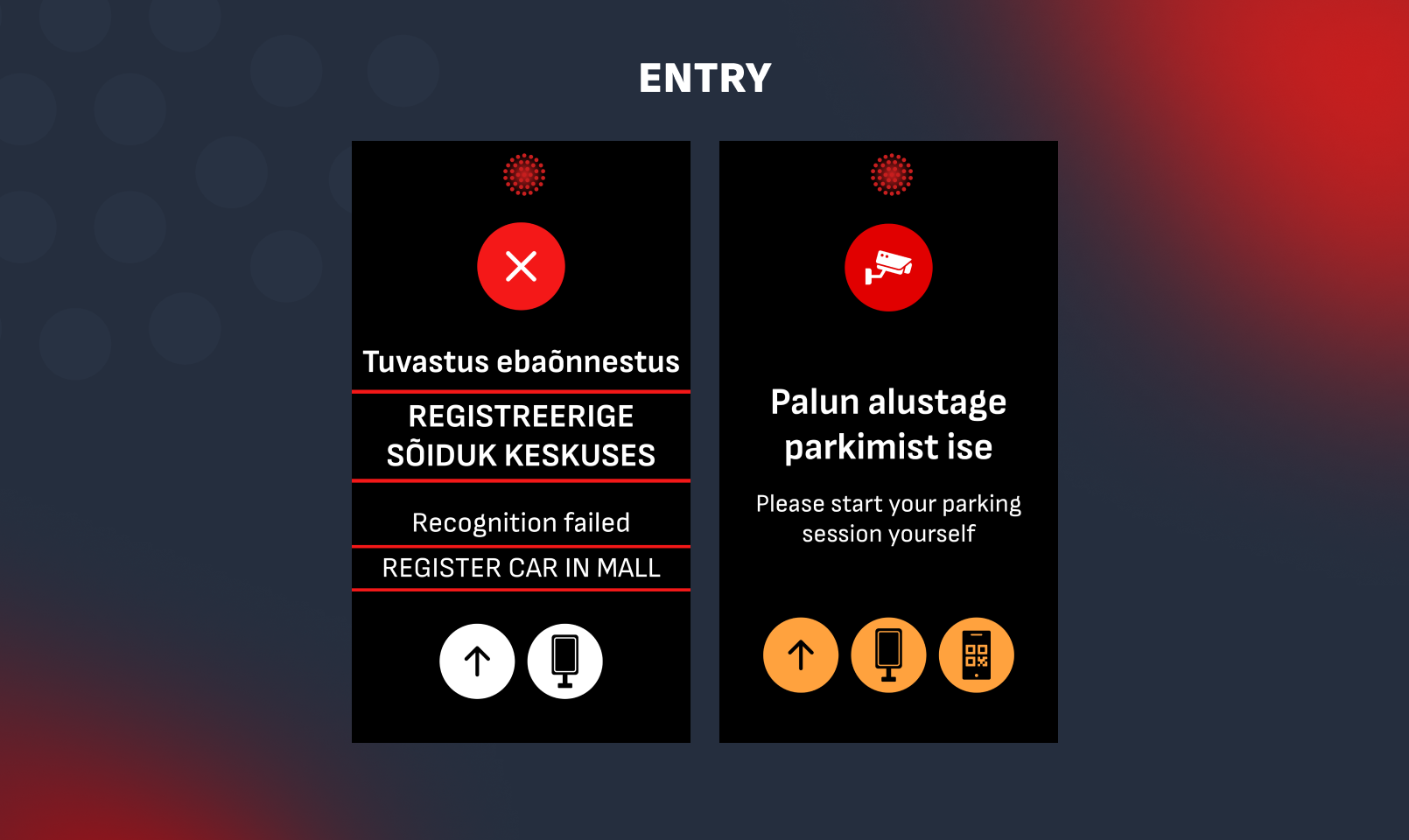
How to start: Go to the Friida web portal or use an on-site kiosk or use mobile parking by Telia.
- If you're using kiosk - enter your license plate number and register, no other actions needed.
- With Telia, Tele2 or Elisa: You can start your parking by sending an SMS with your car's plate number and the parking zone (Example: 123ABC EP444) to 1902 short number. Our cameras will recognize your active session at the exit.
- If you're using Friida web portal:
- Enter your license plate number and choose to register your parking.
- Important: You will be asked to select your current parking zone. Please ensure the selected zone matches your actual physical location.
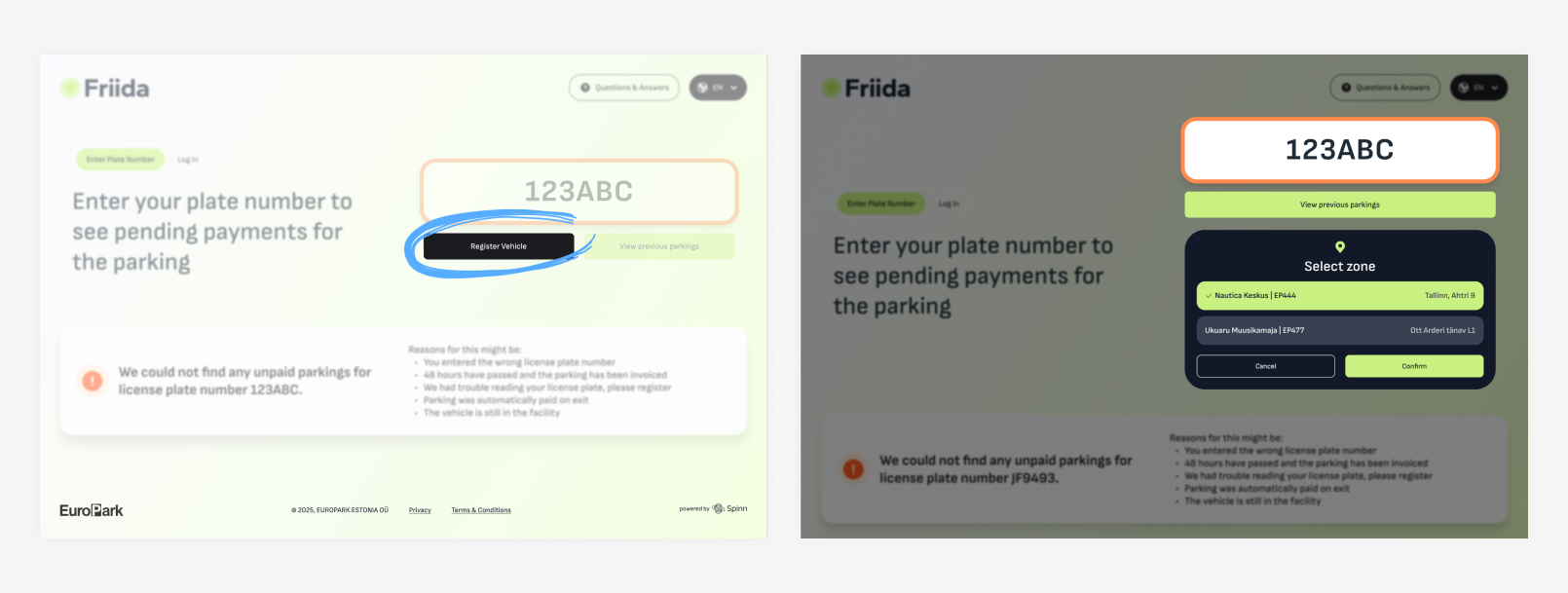
What if I selected the wrong zone? If you realize you have chosen the wrong zone, you can change it on the website. The system will automatically transfer your parking data (including arrival time and any accumulated costs) and recalculate it according to the new zone's tariffs.
Note: It is crucial to have the correct zone selected before leaving. If the zone on the website does not match your physical location, the exit cameras may not register your departure correctly, which can lead to billing errors).
2. Stopping a Session Manually
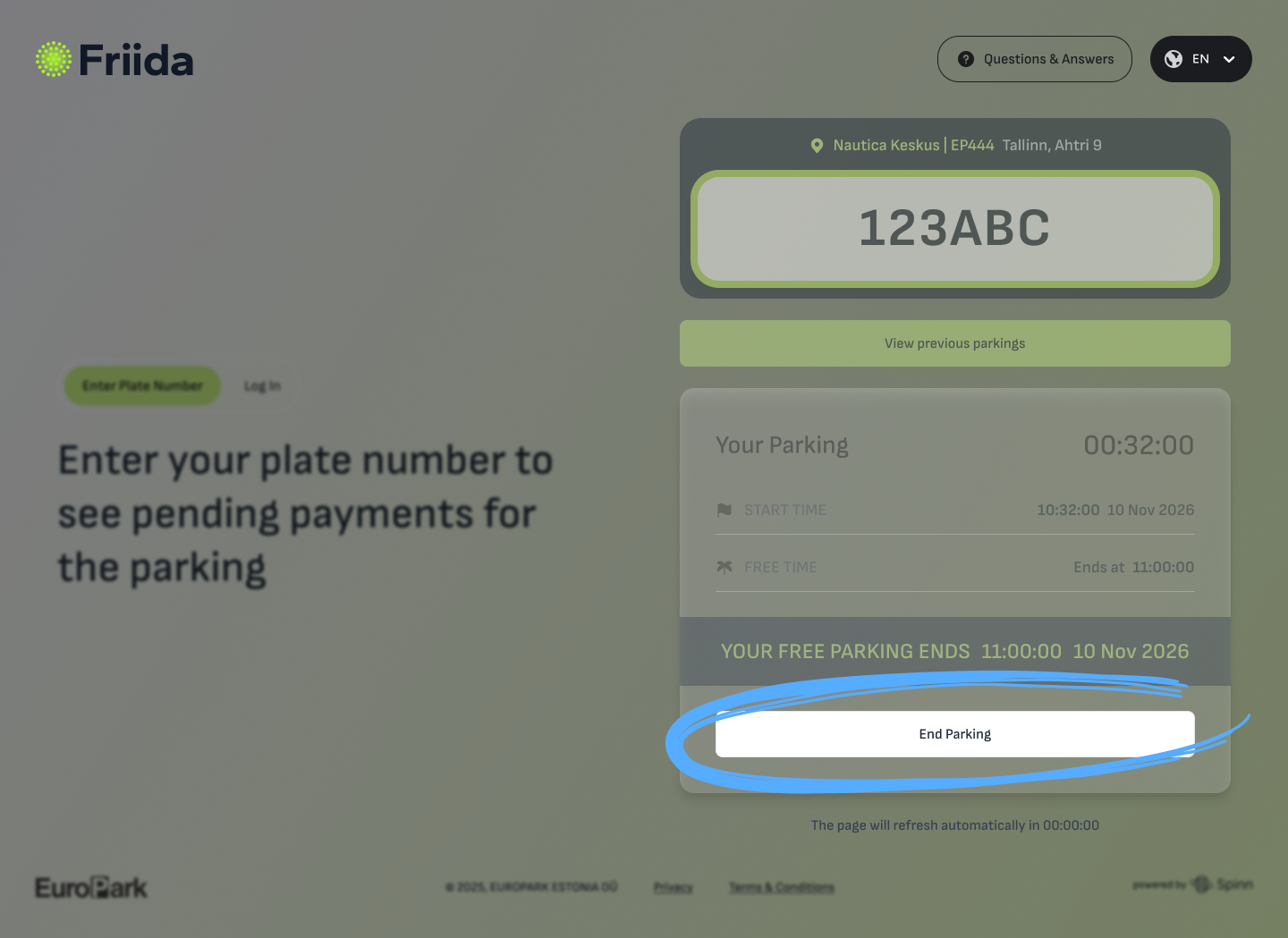
You have the option to manually stop an active parking session through the Friida web portal. This can be useful if you want to complete your payment before reaching your car.
The 15-Minute Rule (Grace Period): Once you press the "End Parking" button on the website or paid for the session at the kiosk, you are granted a 15-minute grace period to physically leave the parking facility.
- Please ensure you drive out within this timeframe.
- If you remain in the parking lot longer than 15 minutes after stopping the session, the system will automatically extend your parking, and additional charges may apply.
No comments to display
No comments to display