
Viewing Parking History & Downloading Receipts
To protect the privacy of our drivers and ensure parking data is secure, Friida offers different levels of access to parking history depending on whether you are using the portal as a guest or a registered user.
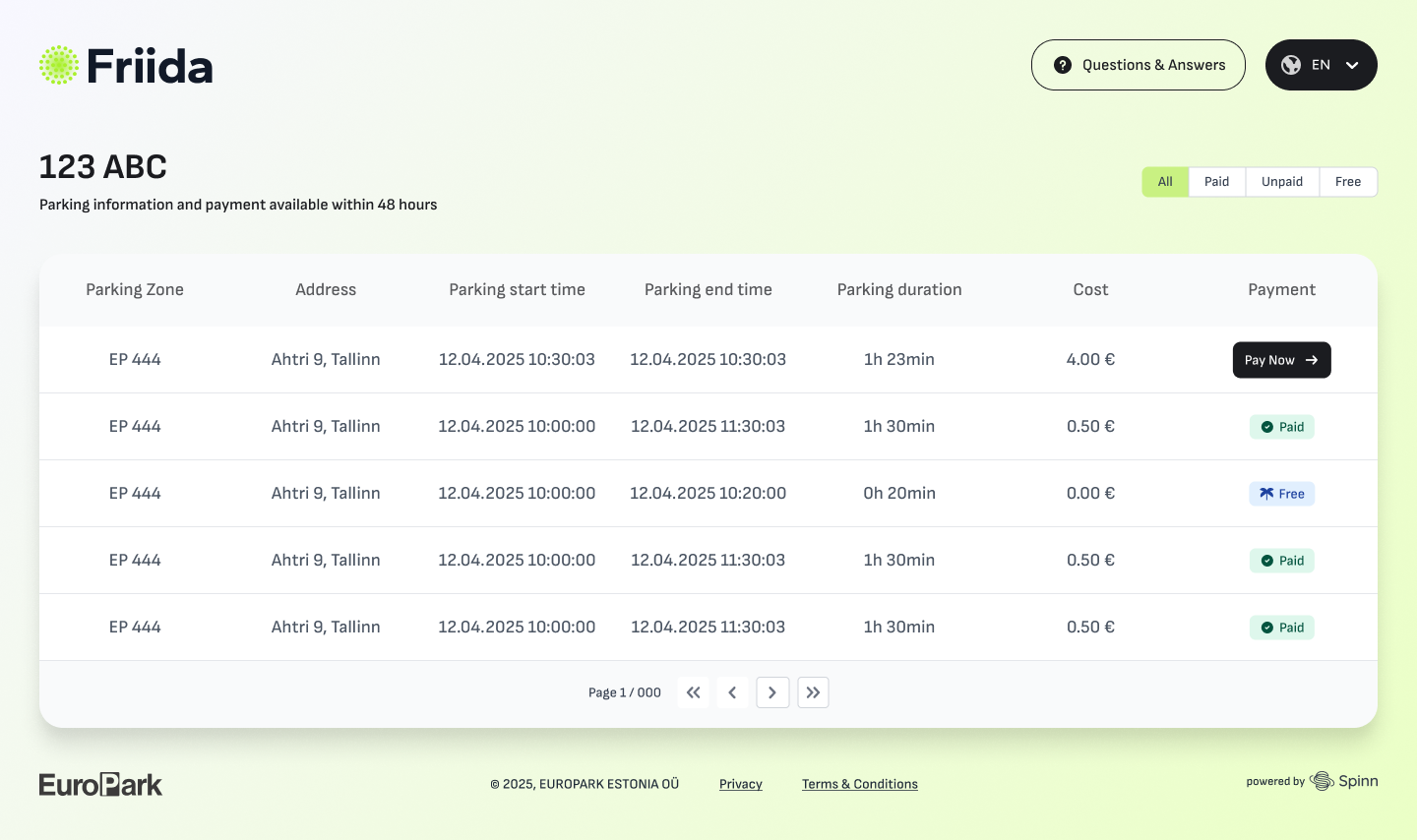
Your complete parking history is displayed in a detailed, easy-to-read table. Each row represents a session and displays its current status:



Downloading Receipts:Even if you didn't download the receipt immediately after paying, you can always come back to this table at any time and click theDownload Receiptbutton next to any paid session.
The session is fully settled Free:
The session ended within a free time period according to the parking rules. No actions needed from your side.
Guest Access (Without an Account)
If you do not have a registered account, you can still view your recent parking activity and download receipts, but with a strict time limit.
- The 48-Hour Window: By searching your license plate on the homepage, you can access your parking session details and download the payment receipt only within 48 hours after leaving the parking facility.
- Privacy Protection: After 48 hours, guest access to this specific parking data is securely closed. This ensures that no one else can search for your license plate and track your past movements.
Registered User Access (Full History)
One of the main benefits of creating a free Friida account is having permanent, secure access to your complete parking records.
- Complete Records: By logging into your self-service portal, you get full visibility into your entire history, including all paid, unpaid, and revoked parking sessions.
- Downloading Past Receipts: You can download a receipt for any past paid session at any time. Simply navigate to the parking history section in your portal and click the download button next to the relevant session.