Using the On-site Payment Kiosk
You can use our self-service kiosks at any time during your visit — right after you park or just before you leave. Even though Friida is an automatic free-flow system, the kiosk is a great tool for managing your session on the spot.
Get Your Personal QR Code (Right after parking)
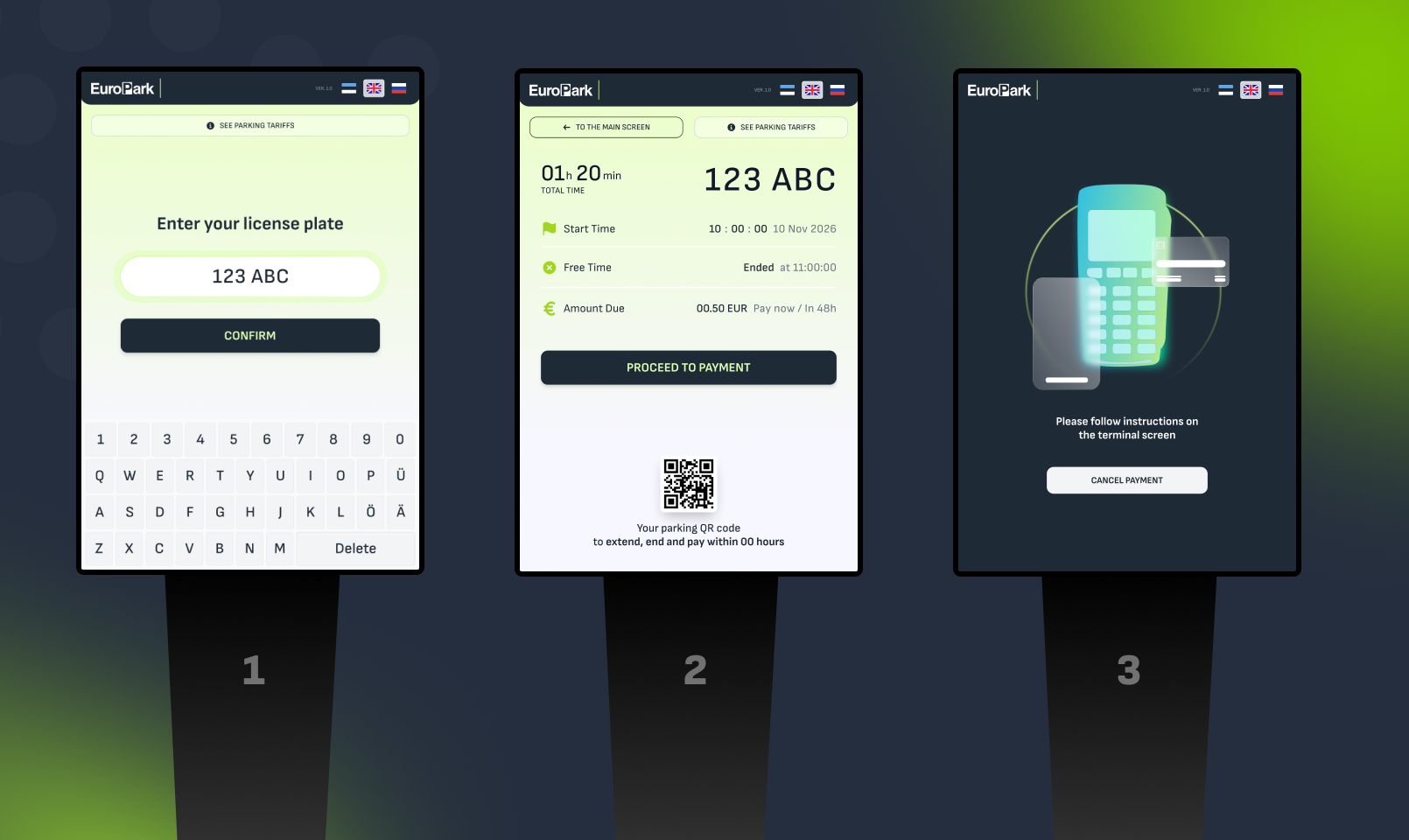
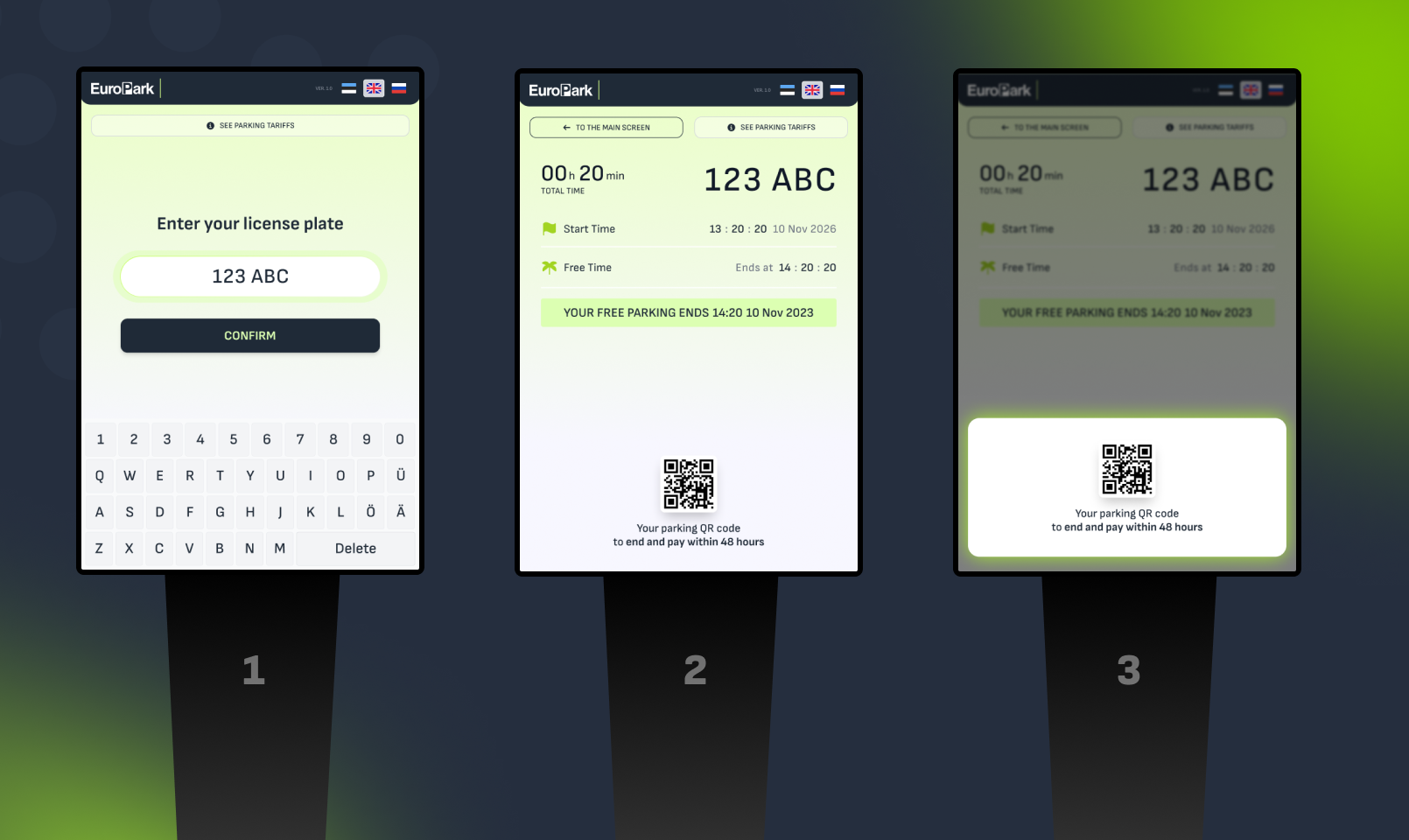
Many drivers prefer to visit the kiosk immediately after arriving. By entering your vehicle number, the kiosk will provide you with a personal QR code containing a link to your active parking session. Scan this link with your smartphone to easily track your free time or pay later online, so you won't need to return to the kiosk.
Manually Register Your Session
If the screen at the entry displayed a message like "Registreerige parkimine keskuses" (meaning the camera couldn't read your plate), you must register your vehicle. Simply go to the kiosk and enter your license plate number.
Pay for Your Parking (Before leaving)
If you don't have an account in Friida or don’t use the automatic payment feature in your Friida account, you can pay for your parking at the kiosk before driving to the exit. Enter your license plate, follow the on-screen instructions, and complete the payment using your bank card.
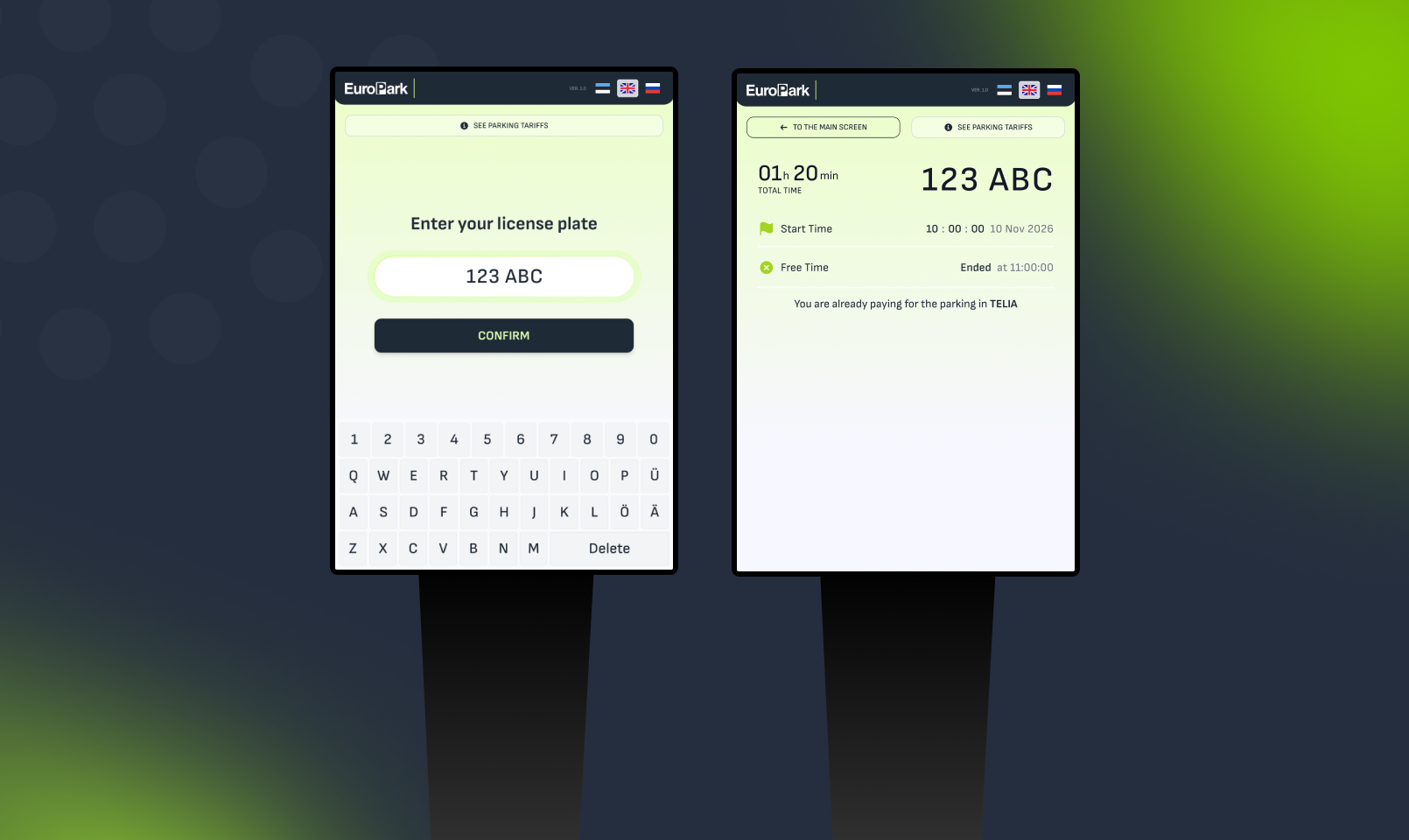
If you’re paying with other provider, our system will show you this info. It means, that paying and managing should be done in your app or according to the parking method you’re using.