Understanding Entry & Exit Screens
To guide you through the free-flow parking process, we use digital screens located at the entry and exit points. These screens display your vehicle's license plate and provide immediate feedback on your parking status.
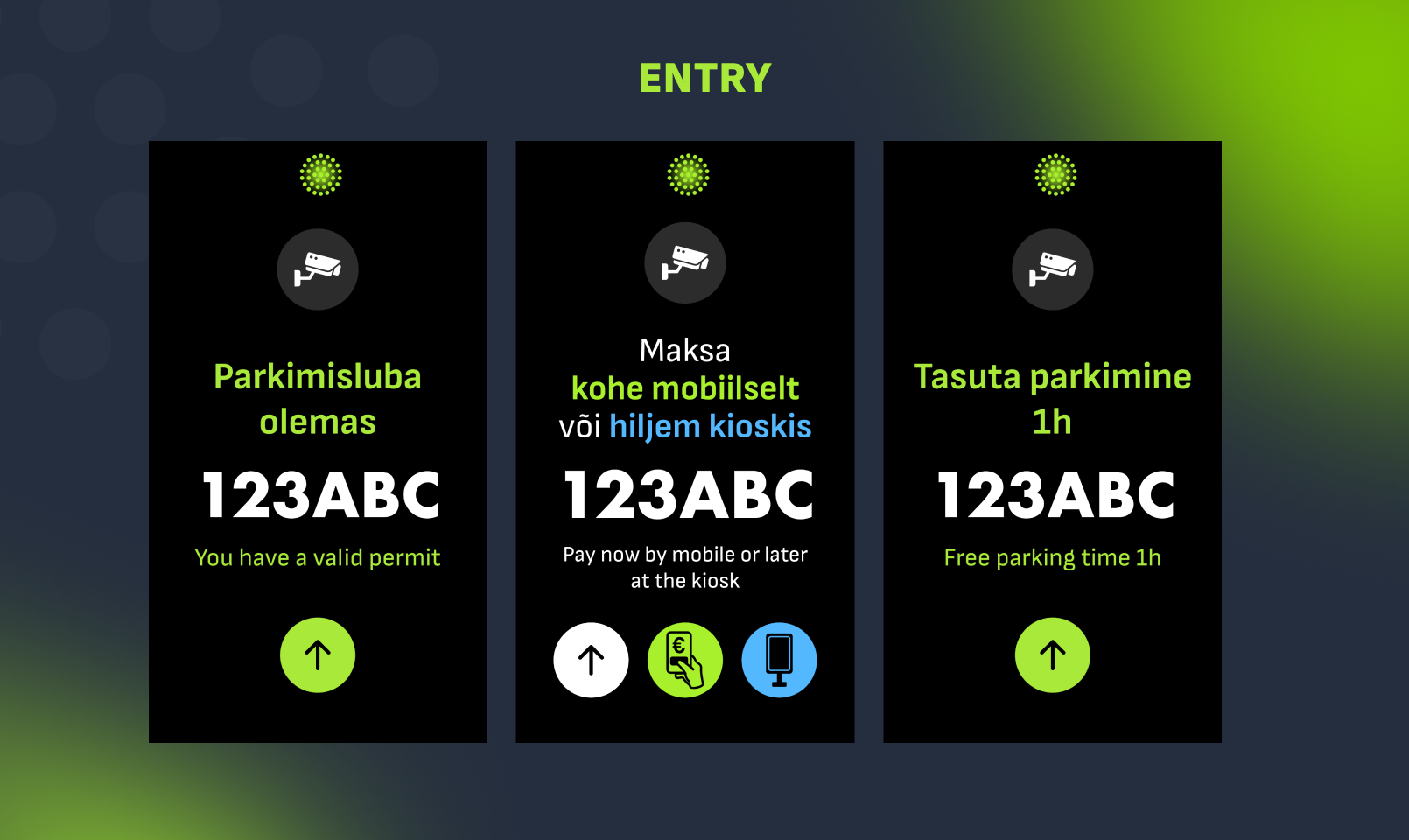
Green Screen: You are Good to Go!
At Entry: The camera has successfully read your license plate. The screen will display your plate number. If you have an active parking permit, or if the parking zone offers a period of free parking, the screen will confirm this (e.g., "Free parking time 1h").
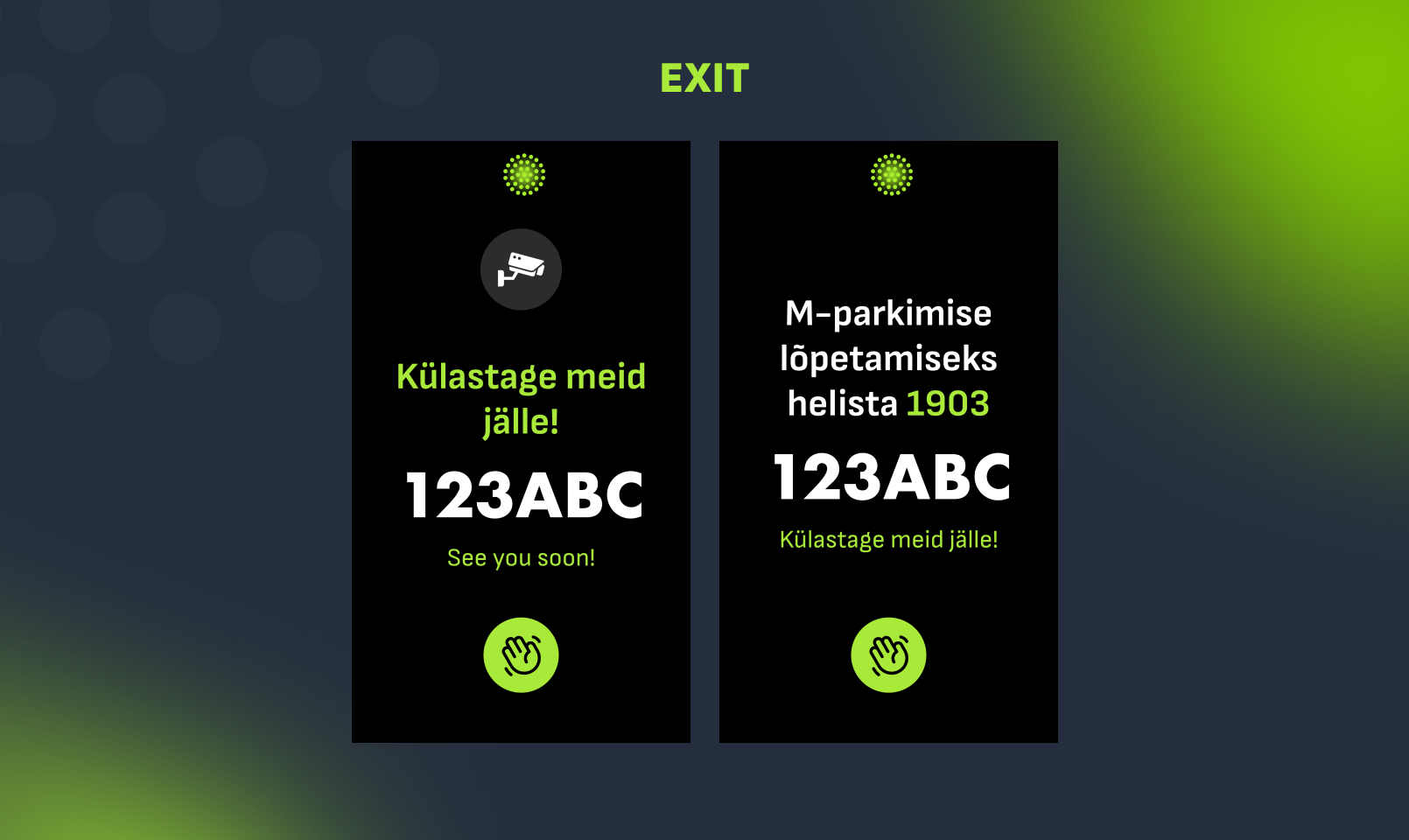
At Exit: The camera has recognized your plate, and your session is completed. You will see a "See you soon!" message. This happens if your parking was free, if you paid at the kiosk, or if you have a registered account with automatic payments.
Red Screen: Action Required
A red screen means the system needs your attention.
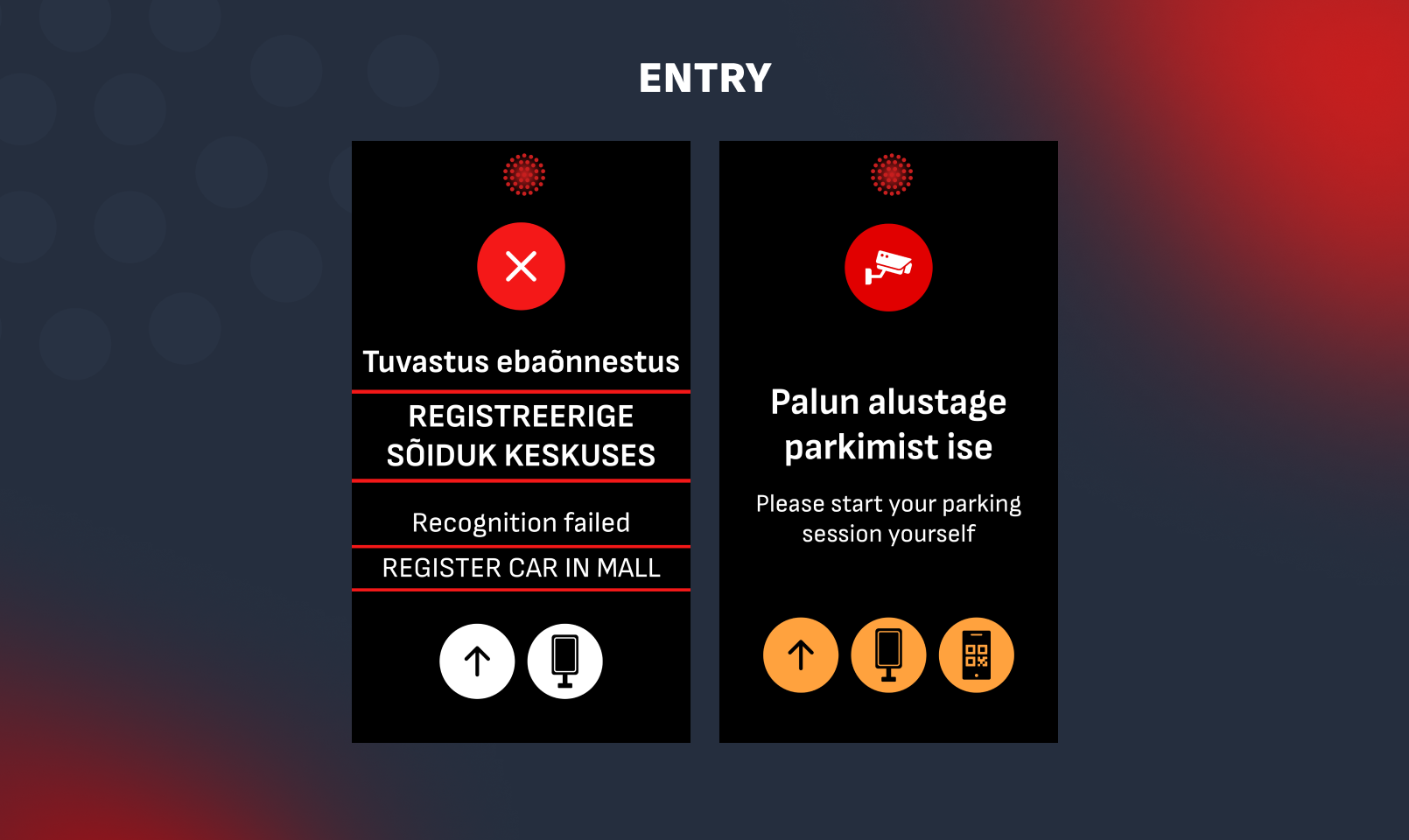
At Entry ("Recognition Failed"): If the screen turns red and displays a message to register your car, the camera could not read your license plate clearly (e.g., due to dirt or snow).
What to do: You must manually register your parking session. You can do this at the on-site payment kiosk, via the Friida web portal, or using the Telia SMS service.
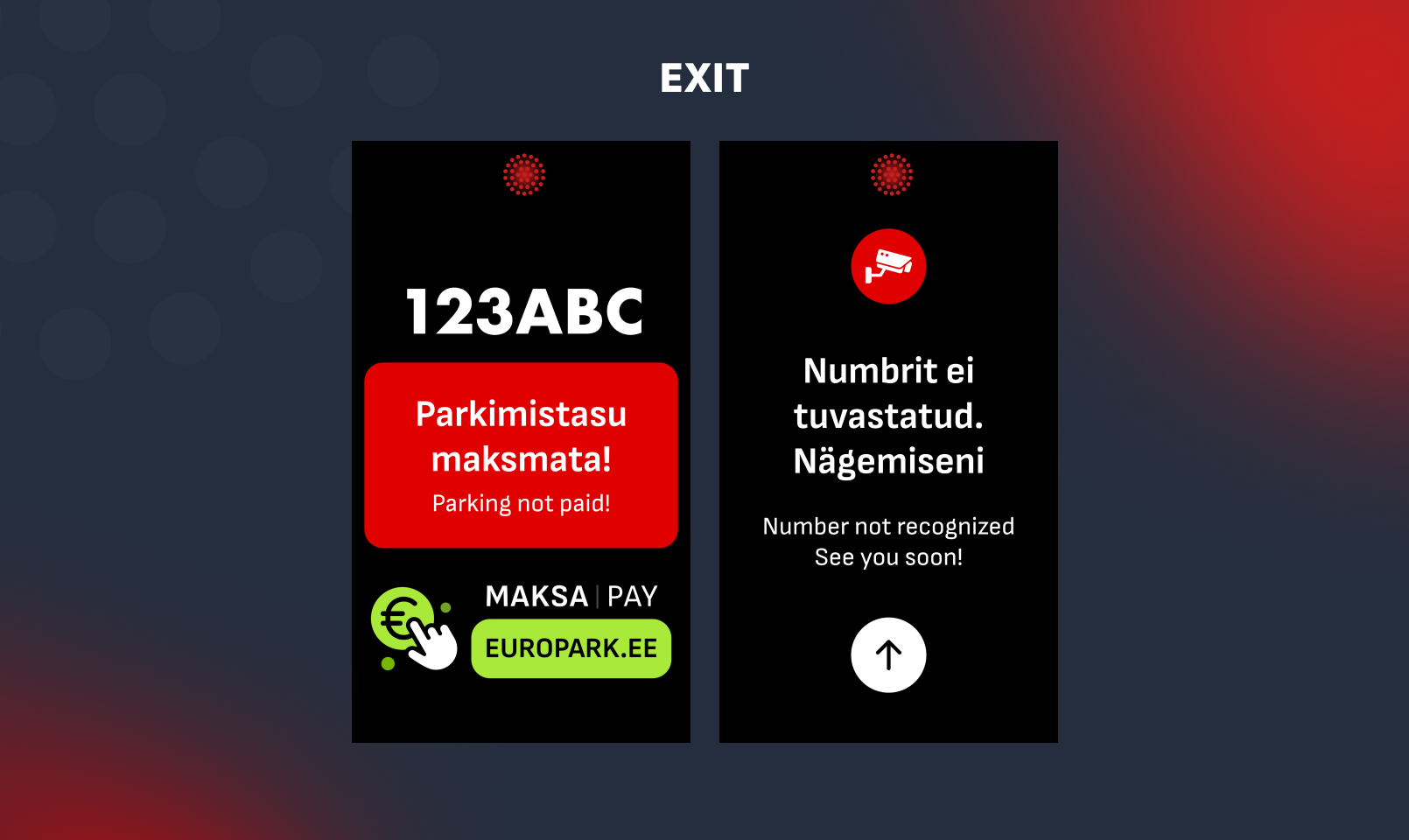
At Exit ("Unpaid Parking"): If you see a red screen when leaving, it means there is an outstanding balance for your current parking session.
What to do: The screen will advise you to pay at the europark.ee. If you drive away without paying, you can still pay online via the Friida portal within 48 hours to avoid any additional fees.
At Exit ("Number not recognized"): Sometimes, a camera might fail to read your plate upon exit. In this case, your session will remain open temporarily. However, our system will automatically close the session at 00:00 (midnight) on the same day.